Register Now, Get up to 40 USD for first order

Wholesale warehouse total: — items, — Pieces
Wholesale warehouse total: — items, — Pieces
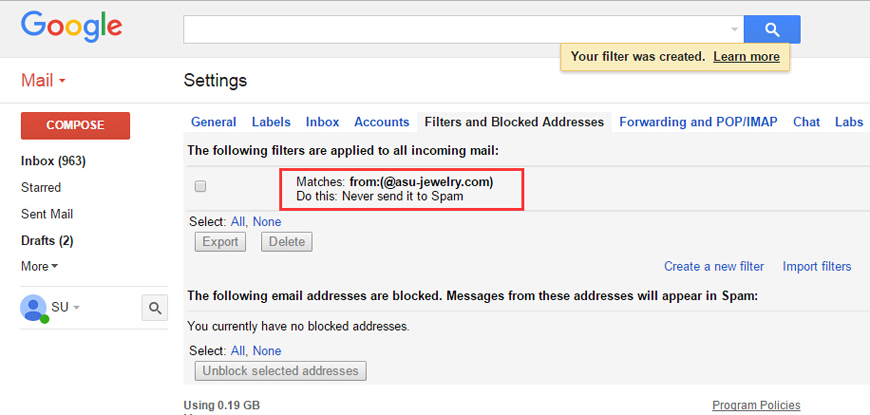
Follow the steps below to add our domain to your Gmail filter, so that order and shipping notifications from AsuJewelry will never be blocked or sent to Spam.
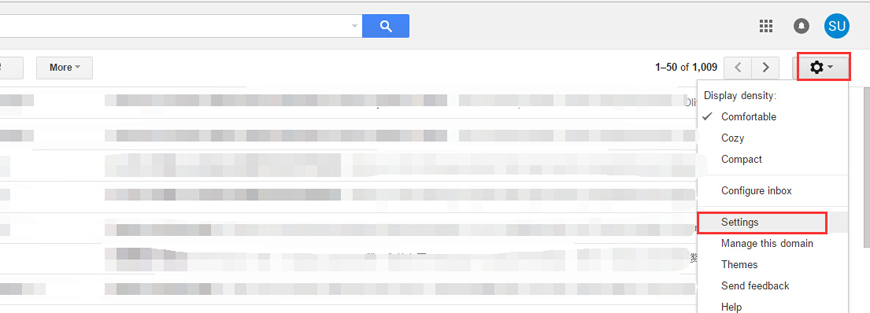
Please log in to your Google Mailbox (mail.google.com), and then click Settings at the top right of the Mailbox page.
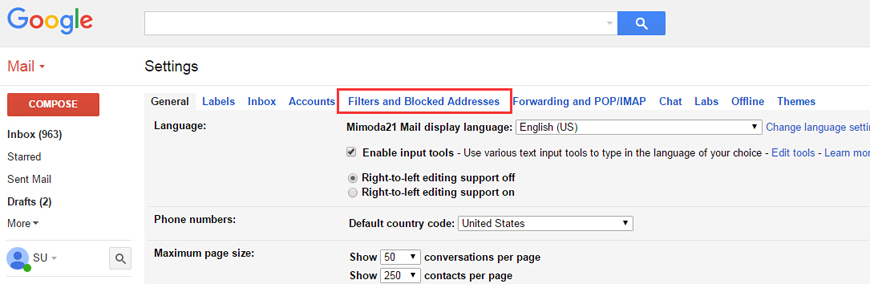
In Settings, click "Filters and Blocked Addresses".
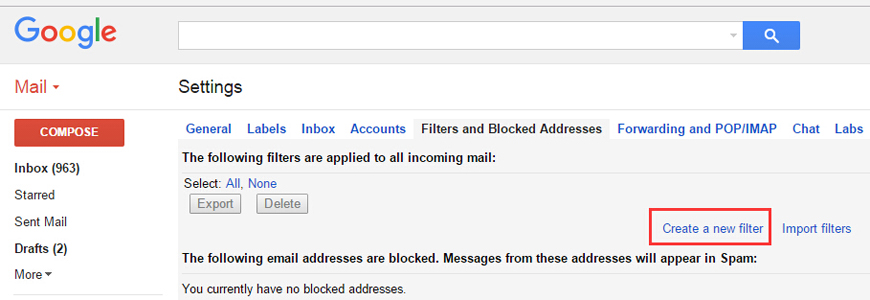
Choose "Create a new filter".
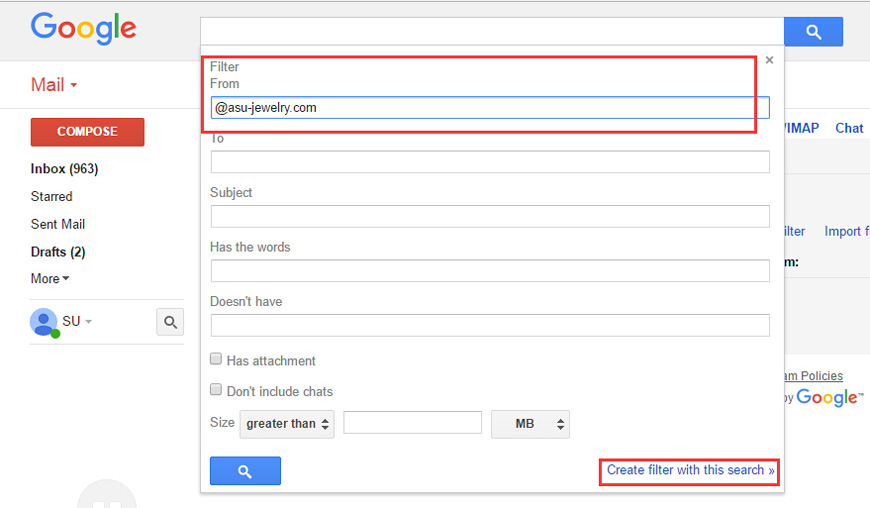
When creating a filter, please enter "@asu-jewelry.com" in the "From" (addresser) box, then click "Create filter with this search".
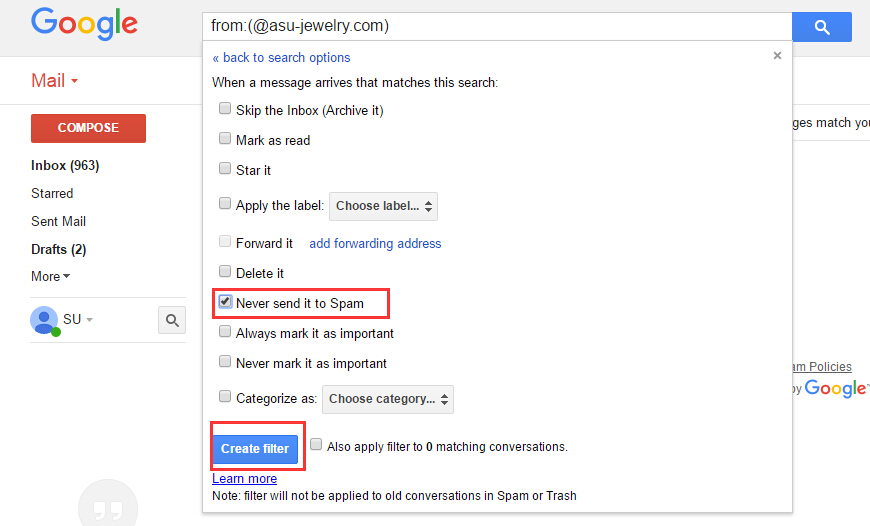
Check "Never send it to Spam", then click "Create filter".
When you have successfully added this domain name, your Gmail mailbox will not intercept the messages we send.